 AutomateDock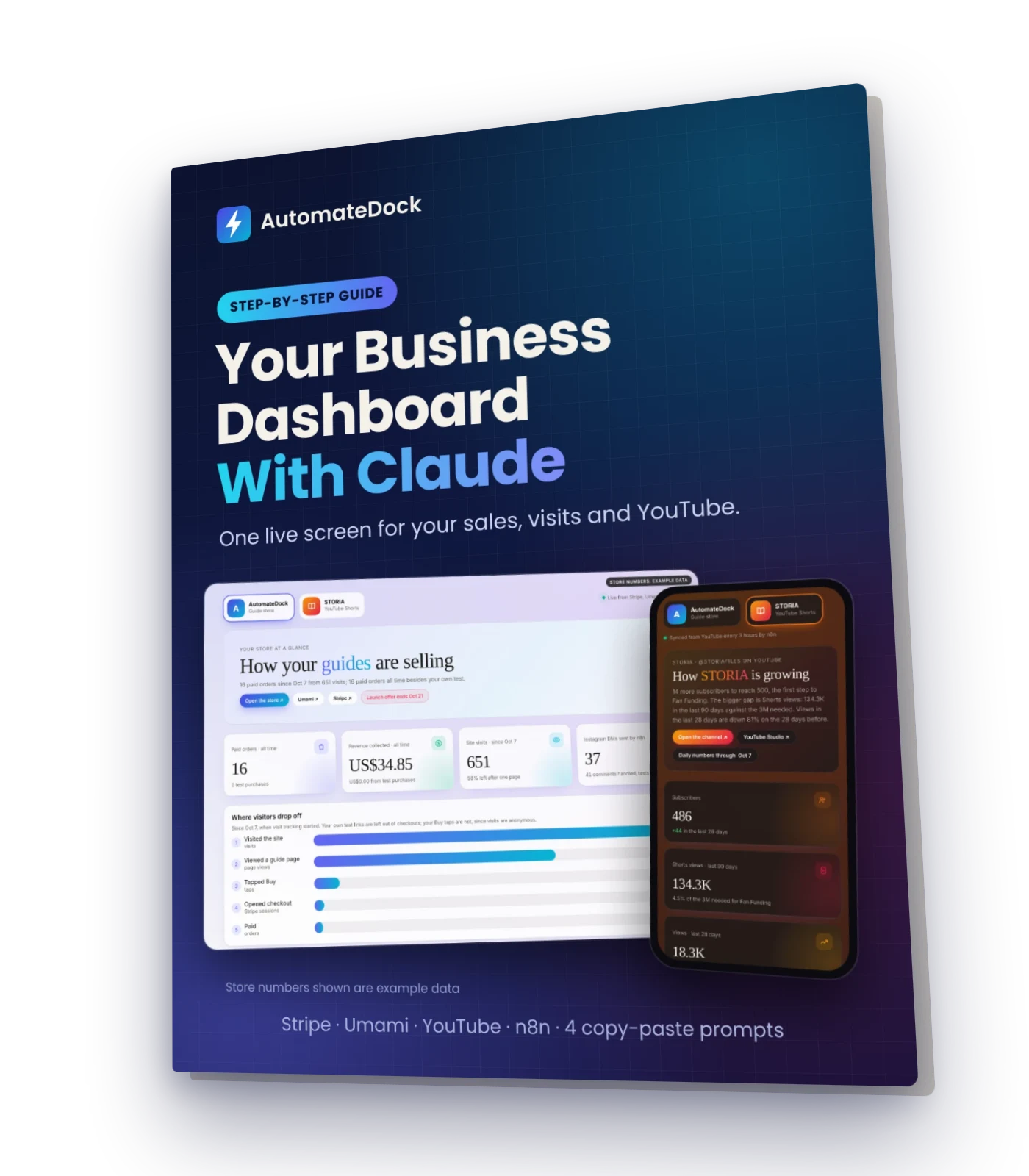
Your Business Dashboard With Claude
One live screen for your sales, website visits and YouTube, built by asking Claude in plain words
Build one live dashboard for every business you run: Stripe orders, website visits and your YouTube channel side by side, with one icon per business to switch between them. Claude builds the dashboard from your plain-word requests; a free automation tool called n8n copies the numbers Claude can't reach directly. This guide gives you the setup steps, the n8n code to paste, four prompts that build and style the dashboard, and the real errors you may hit with their fixes.
What you'll learn
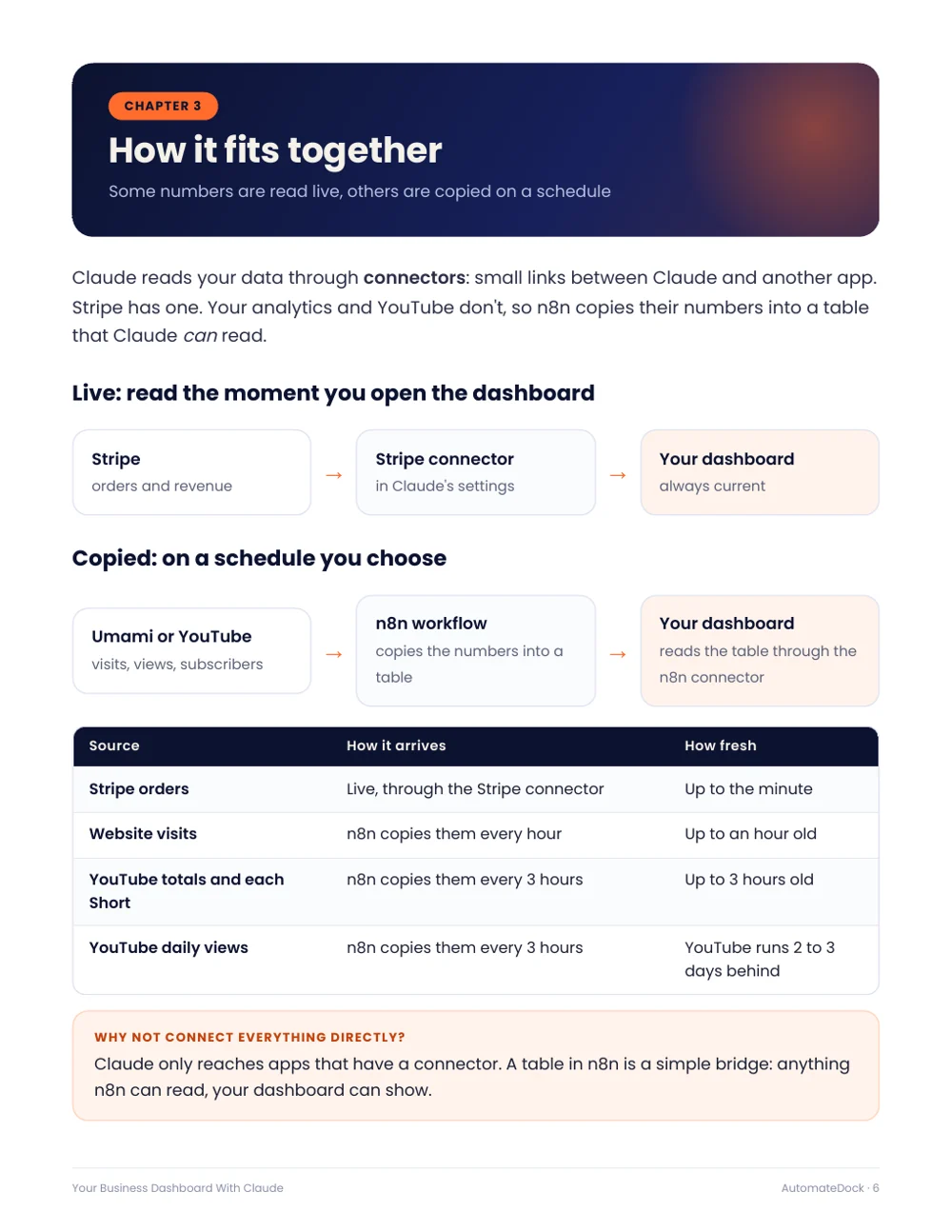
- How live connectors and copied tables fit together, in one picture
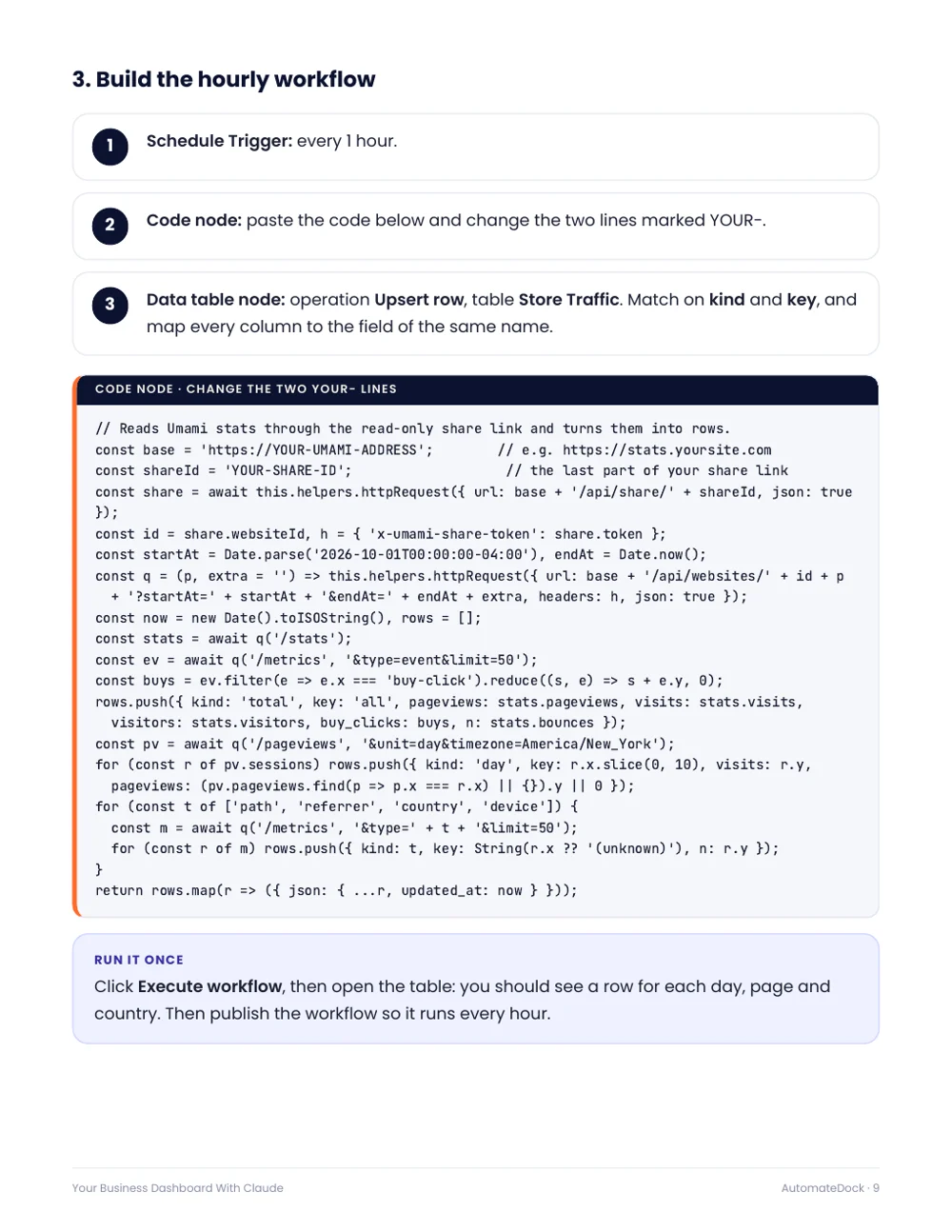
- Copy your website visits into n8n every hour, with code to paste
- Read your YouTube numbers, including 90-day Shorts views, with read-only access
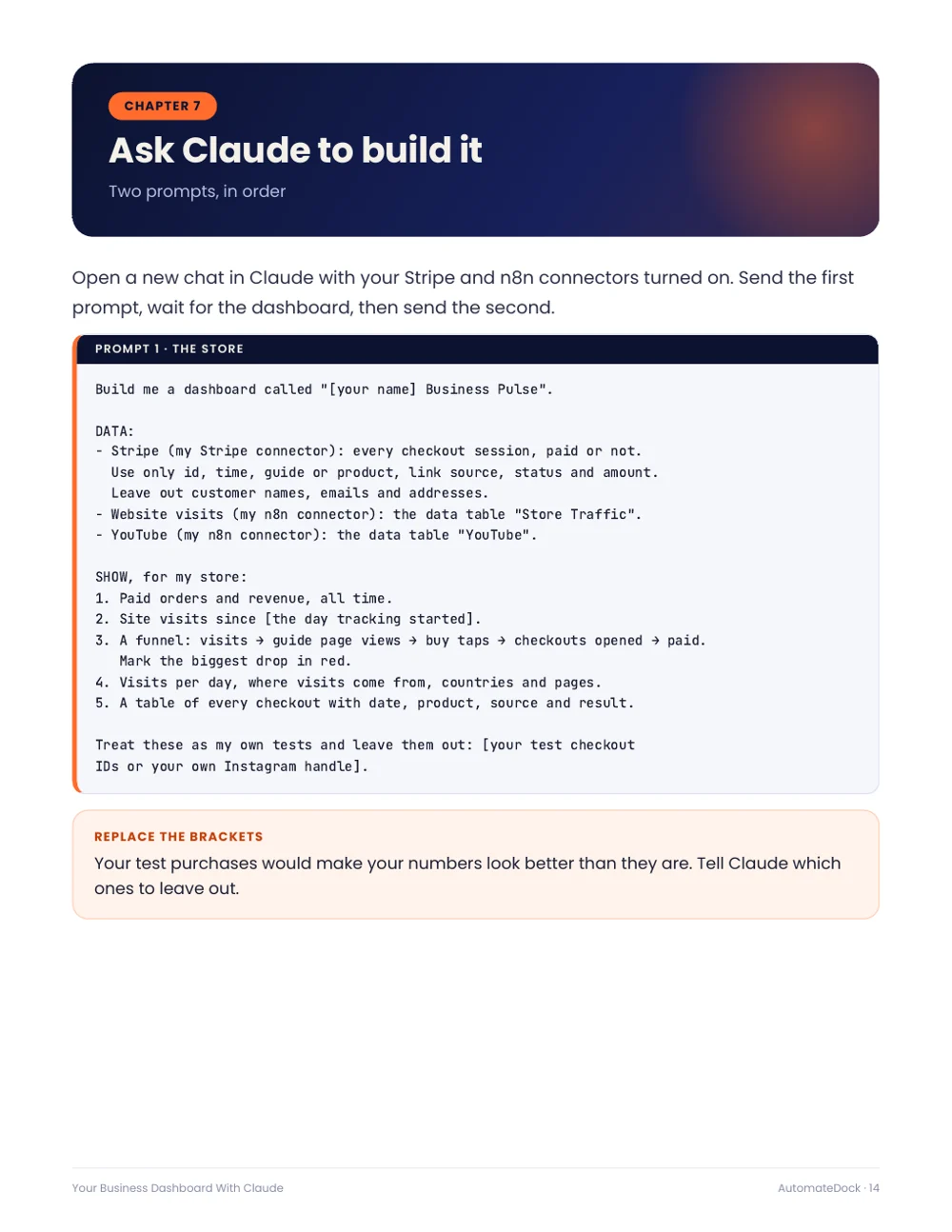
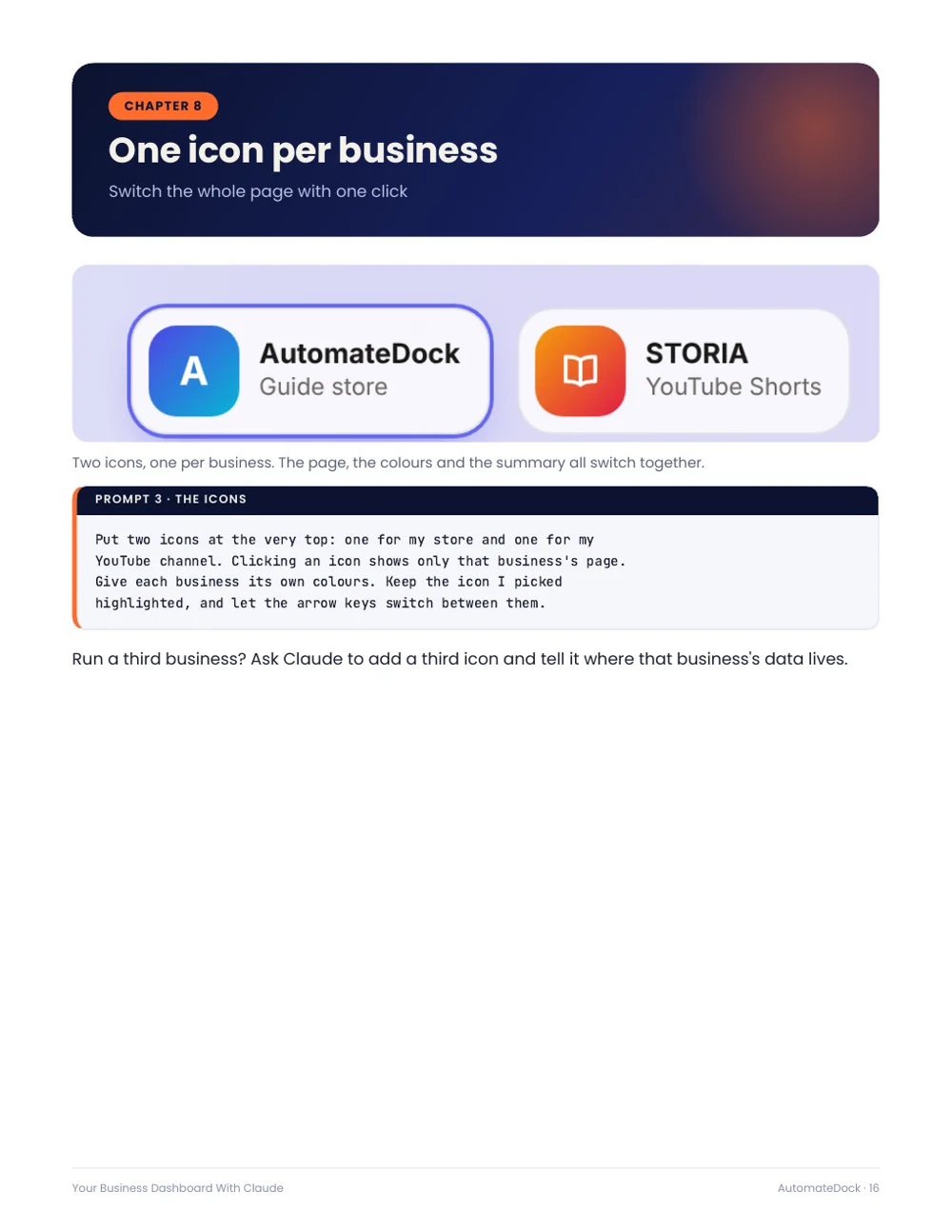
- Four prompts that build the dashboard, add one icon per business and match your brand
- Which numbers to act on each morning, and how to keep your data private
Look inside
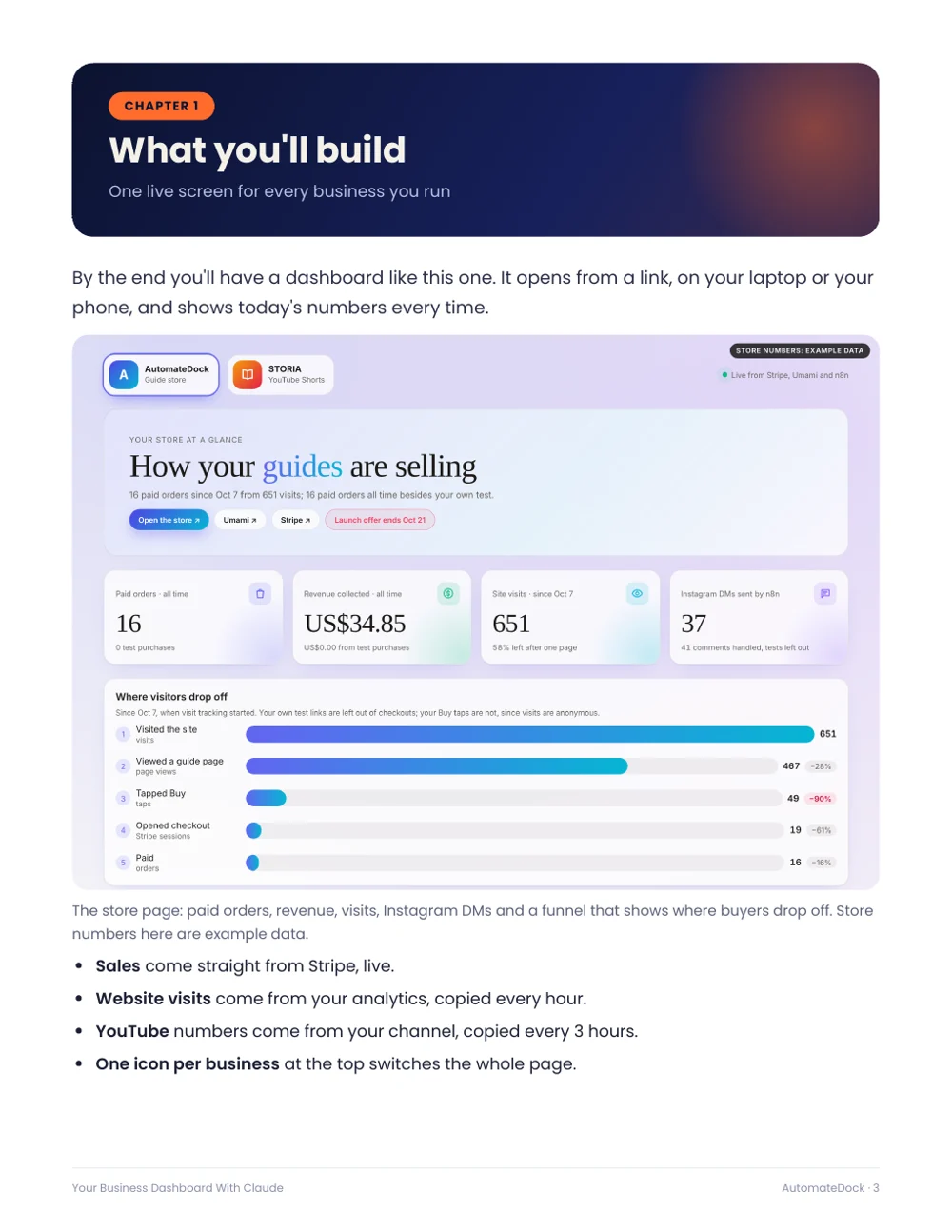
A preview of real pages from the guide. Click a page to enlarge it.
What's inside: 13 chapters
- 1What you'll build
One live screen for every business you run - 2What you need
Accounts, costs and about two hours - 3How it fits together
Live connectors and tables copied on a schedule - 4Connect Claude
Stripe and n8n, once each - 5Your website visits
Copy your analytics into n8n every hour - 6Your YouTube channel
One Google sign-in, then a sync every 3 hours - 7Ask Claude to build it
The prompts, in order - 8One icon per business
Switch the whole page with one click - 9Make it look like yours
Your colours, cards and charts - 10Read it every morning
Five numbers, one decision each - 11Keep it private and safe
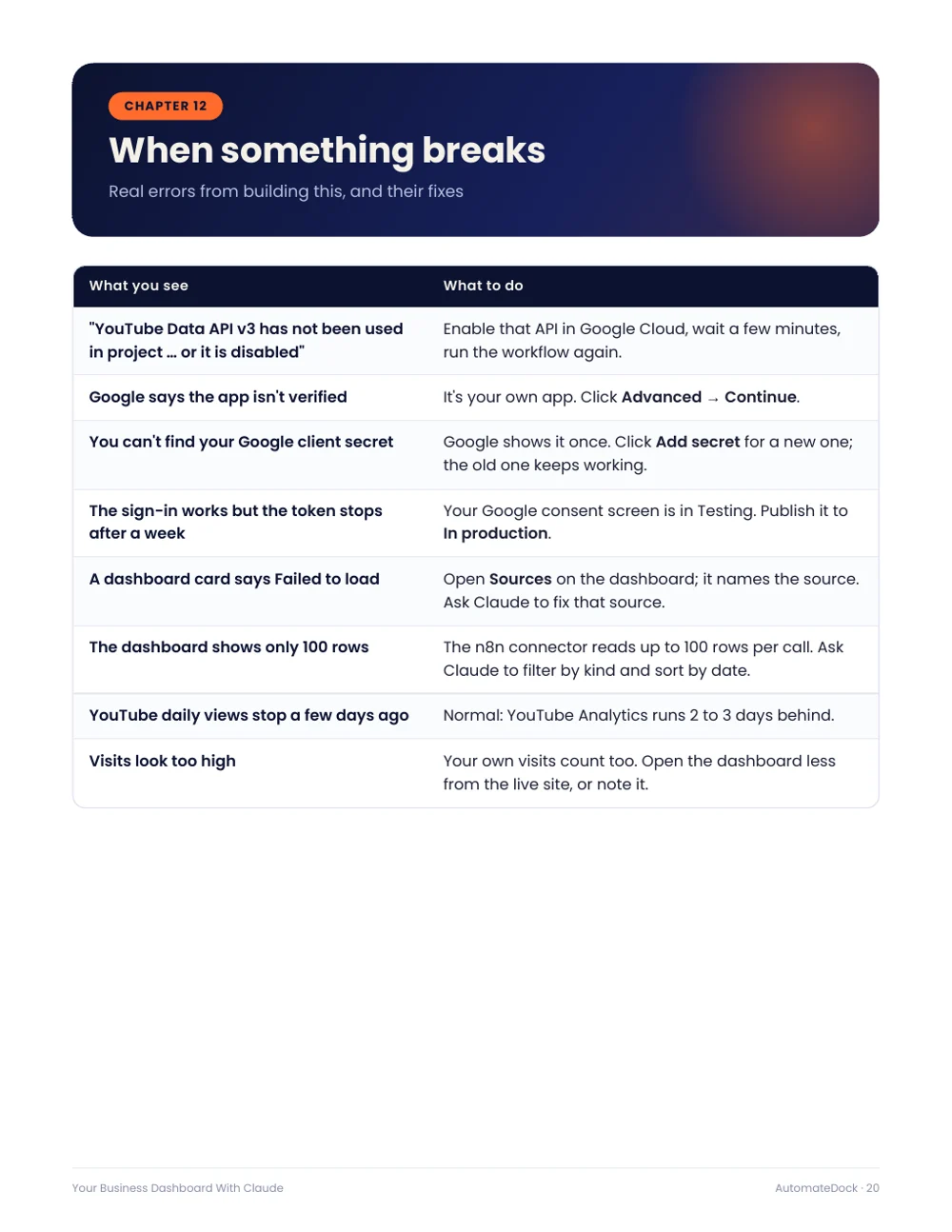
What never goes in a chat - 12When something breaks
Real errors from building this, and their fixes - 13Checklist
Ten checks before you rely on it
Questions
Which Claude plan do I need?
A paid plan (Pro or higher). Claude's Dashboards feature was in beta on paid plans when this guide was written.
Do I need to code?
No. You paste two short pieces of code into n8n exactly as given and change two lines. Claude writes the dashboard itself from your requests.
I don't sell anything or don't have a YouTube channel. Is it still useful?
Yes. The dashboard works with whatever you connect, and each chapter says what you can skip.
Are the store numbers in the pictures real?
The store numbers in the screenshots are example data. The YouTube numbers are a real channel's.
Is this a physical book?
No. It's a PDF you can download right after checkout and read on any device.
What if I lose my download link?
Your download link works for 30 days, so bookmark the thank-you page. If you lose it, email support@automatedock.com with your receipt and we'll send it again.
Can I get a refund?
Yes. If a guide isn't what we described, email us within 7 days of purchase and we'll make it right. We look at every request individually and refund in full where it's warranted.
What currency are the prices in?
Prices on this site are in US dollars. At checkout, Stripe shows the price in your local currency in most countries, and you can choose which of the two to pay in.
Is payment secure?
Checkout is handled by Stripe. Your card details go straight to Stripe and never touch this website.